

k0nfig CS2 CFG & Settings
Kristian Wienecke
Download k0nfig’s CS2 CFG and view current settings, crosshair, sensitivity and gear.
DPI
400
Sensitivity
2.2000
eDPI
880.00
Resolution
1280x960
Mouse
ZOWIE EC2-CW
Crosshair
CSGO-xKqmF-cvjMT-hZOsq-3tYQy-OYBpF
This page records k0nfig's settings from the sources listed below. Downloadable packs are generated from these records; they are not presented as original files supplied by the player. Check the source and verification date before applying a setup.
At the recorded 400 DPI and 2.2000 sensitivity, the calculated eDPI is 880. If your mouse is set to 800 DPI, 1.1 in-game sensitivity preserves that eDPI. This calculation does not account for differences in mouse shape or sensor calibration.
Review sources and verification · Installation and troubleshooting · Convert to your DPI
Quick Settings
DPI
400
Sensitivity
2.2000
eDPI
880.00
Zoom Sens
1.0000
Polling Rate
4000 Hz
Windows Sens
6/11
Resolution
1280x960
Aspect Ratio
4:3
Scaling Mode
Stretched
Mouse
ZOWIE EC2-CW
Crosshair Code
CSGO-xKqmF-cvjMT-hZOsq-3tYQy-OYBpF
CS2 Settings
Complete in-game configuration breakdown for this player.
Mouse
880.00 eDPI| DPI | 400 |
|---|---|
| Sensitivity | 2.2000 |
| eDPI | 880.00 |
| Zoom Sensitivity | 1.0000 |
| Polling Rate | 4000 Hz |
| Windows Sensitivity | 6/11 |
Crosshair
Crosshair Share Code
CSGO-xKqmF-cvjMT-hZOsq-3tYQy-OYBpF
Crosshair Commands
cl_crosshairstyle "4"; cl_crosshairsize "2"; cl_crosshairgap "-3"; cl_crosshairthickness "0"; cl_crosshairdot "0"; cl_crosshair_drawoutline "0"; cl_crosshaircolor "1"; cl_crosshairalpha "255"; cl_crosshair_t "0"
Crosshair Preview
Viewmodel
| FOV | 68.00 |
|---|---|
| Offset X | 2.50 |
| Offset Y | 0.00 |
| Offset Z | -1.50 |
| Preset Pos | 2 |
viewmodel_fov "68.00"
viewmodel_offset_x "2.50"
viewmodel_offset_y "0.00"
viewmodel_offset_z "-1.50"
viewmodel_presetpos "2"
Video Settings
1280x960| Resolution | 1280x960 |
|---|---|
| Aspect Ratio | 4:3 |
| Scaling Mode | Stretched |
| Refresh Rate | 240 Hz |
| Display Mode | Fullscreen |
| Boost Player Contrast | Enabled |
| MSAA | 4x MSAA |
| Global Shadow Quality | High |
| Texture Detail | Low |
| Shader Detail | High |
| Particle Detail | Low |
| Ambient Occlusion | Disabled |
| HDR | Quality |
| NVIDIA Reflex | Disabled |
Most video settings must be changed manually inside CS2 and are not applied by downloaded .cfg files.
Config
Download PackGenerated files
k0nfig.cfg
k0nfig_crosshair.cfg
k0nfig_viewmodel.cfg
readme.txt
Included in pack
- Mouse sensitivity & zoom sensitivity
- Crosshair share code & console commands
- Viewmodel FOV and offsets
- Basic radar commands
Not included — set manually
- DPI & Windows sensitivity
- Polling rate
- Monitor refresh rate
- Video / graphics settings
- Launch options
- HUD customization beyond radar basics
Download k0nfig CS2 Config Pack
Download ready-to-use .cfg files generated from k0nfig's current CS2 profile data.
k0nfig.cfg
k0nfig_crosshair.cfg
k0nfig_viewmodel.cfg
readme.txt
This config includes sensitivity, crosshair, viewmodel and basic radar commands. DPI, polling rate, monitor refresh rate and video settings must be changed manually.
How to Install CS2 Config
- Back up your existing CFG files and record your current sensitivity, crosshair and viewmodel before applying another setup.
- Download the config pack (.zip) and extract the files.
- Move the .cfg files to your CS2 cfg folder (Steam → steamapps → common → Counter-Strike Global Offensive → game → csgo → cfg).
- Launch CS2, open the console (~), and run: exec k0nfig
- Set DPI, polling rate, monitor refresh rate and video settings manually in-game or via your GPU driver.
To undo the change, reapply your saved settings or backed-up config. Deleting the downloaded file alone does not restore settings already applied in the game.
Overview
- Real Name
- Kristian Wienecke
- Nickname
- k0nfig
- Country
- Denmark
- Team
- Retired
- Role
- —
- Status
- Active
k0nfig is a professional CS2 player for Retired. This page tracks k0nfig's CS2 settings, crosshair, config files, gear and loadout highlights.
Steam Profile Avatar
This is the player’s Steam profile image, separate from the ProSettings player photo shown at the top of the page.
Avatar images are stored for player profile reference and may not always match the player's current Steam or social profile image.
Gear
SteelSeries QcK Heavy
View Gear →Wooting 80HE Ghost
View Gear →ZOWIE XL2546K
View Gear →Razer BlackShark V2
View Gear →—
View Gear →Featured Skins
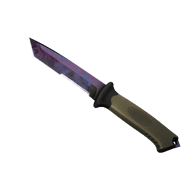 ursus-knife
Ursus Knife | Doppler Black Pearl
Factory New View Skin →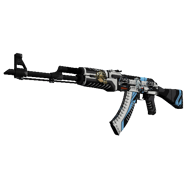 ak-47
ak-47
AK-47 | Vulcan
Factory New View Skin → m4a1-s
M4A1-S | VariCamo
Field-Tested Souvenir View Skin →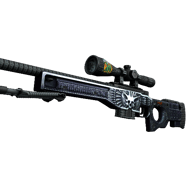 awp
awp
AWP | Exoskeleton
Minimal Wear StatTrak View Skin →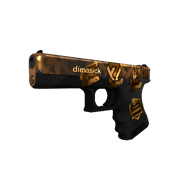 glock-18
Glock-18 | Reactor
Well-Worn Souvenir View Skin →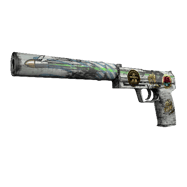 usp-s
usp-s
USP-S | Road Rash
Well-Worn Souvenir View Skin →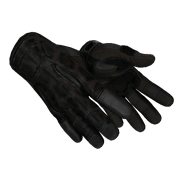 sport-gloves
Sport Gloves | Nocts
Minimal Wear View Skin →Retired Teammates





Similar Pro Players
Similarity is based on config patterns such as eDPI, resolution, aspect ratio, mouse and role.

Inner Circle
- 920.00 eDPI
- 1280x960
- Logitech G Pro X Superlight White
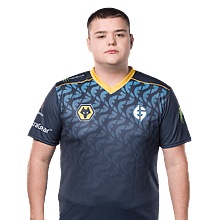
Free Agent
- 880.00 eDPI
- 1280x960
- ZOWIE EC2 RED V2

Retired
- 880.00 eDPI
- 1280x960
- Logitech G Pro X Superlight Black
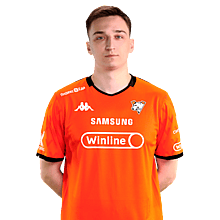
K27
- 880.00 eDPI
- 1280x960
- Logitech G Pro X Superlight 2 Magenta

Eternal Fire
- 840.00 eDPI
- 1280x960
- Logitech G Pro X Superlight 2 Black

Content Creator
- 880.00 eDPI
- 1280x960
- VAXEE XE Wireless Blue
Config History
-
Config pack generatedv1.1.0
-
MouseLogitech G Pro X Superlight 2… ZOWIE EC2-CWprosettings
-
MousepadArtisan Ninja FX Zero Soft Black SteelSeries QcK Heavyprosettings
-
HeadsetAceZone A-Spire Wireless Razer BlackShark V2prosettings
FAQ
What sensitivity does k0nfig use in CS2?
The recorded in-game sensitivity is 2.2000. Check the DPI alongside it; sensitivity alone does not describe the full setup.
What DPI does k0nfig use?
The recorded mouse DPI is 400. Set DPI in your mouse software; a CFG download cannot change it.
What crosshair code does k0nfig use?
CSGO-xKqmF-cvjMT-hZOsq-3tYQy-OYBpF
What resolution does k0nfig use?
1280x960
What mouse does k0nfig use?
ZOWIE EC2-CW
Can I download k0nfig's CS2 config?
Yes. Download the ready-to-use config pack from the Download k0nfig Config Pack section on this page.
Source & Verification
High Confidence 75/100
Source Type
prosettings
Last Checked
Last Updated
Confidence
High Confidence · 75/100
Config Generated
Config Version
1.1.0
Source URL
prosettings.net
Launch options, HUD and advanced radar settings are not publicly verified for this profile yet.